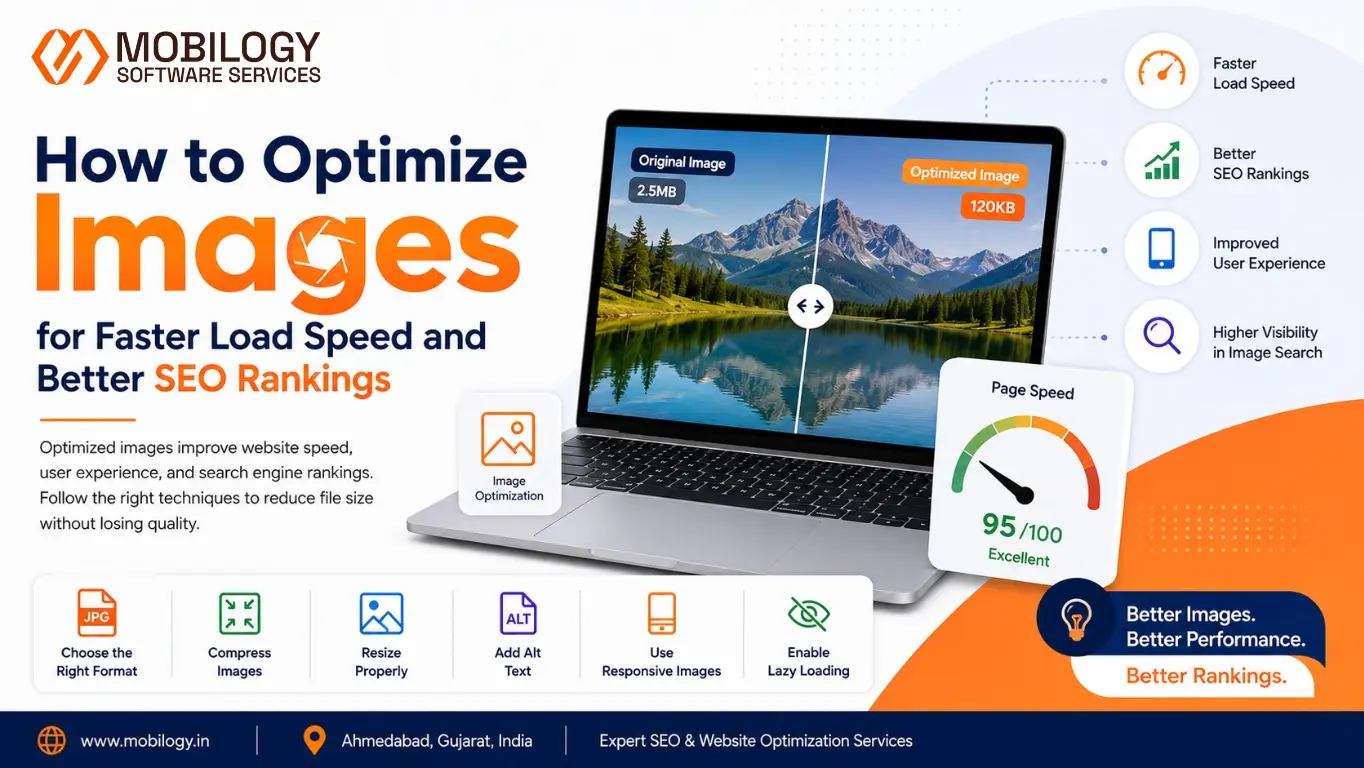
Website speed has become one of the most important ranking factors in modern SEO. Users expect websites to load quickly, and search engines reward websites that provide fast, seamless experiences. While many website owners focus on content, backlinks, and keywords, they often overlook the importance of learning how to Optimize Images for better performance. Large, unoptimized images can significantly slow down a website, affecting user experience, Core Web Vitals, and search rankings. By properly optimizing images, businesses can improve page speed, enhance website performance, and achieve better SEO results.
Images make websites visually appealing, improve engagement, and help explain information more effectively. However, large and poorly optimized images can slow down page loading times, negatively impact user experience, and hurt search rankings.
For businesses investing in digital marketing, image optimization is no longer optional. It is a critical part of technical SEO and website performance optimization.
At Mobilogy Software Services LLP, Ahmedabad, Gujarat, India, we help businesses improve website speed, user experience, and search visibility through professional SEO and website optimization services. In this guide, we’ll explain how image optimization can improve both website performance and SEO rankings.
Why Image Optimization Matters
Images often account for the largest portion of a webpage’s total size.
When images are not optimized properly, they can cause:
- Slow loading speeds
- Higher bounce rates
- Poor mobile experiences
- Increased server bandwidth usage
- Lower search engine rankings
Optimized images help websites:
- Load faster
- Improve user engagement
- Enhance mobile performance
- Support Core Web Vitals
- Increase organic search visibility
Google considers page experience as an important ranking signal, making image optimization a key SEO activity.
How Images Affect Website Speed
Every image on a webpage requires data to be downloaded by a visitor’s browser.
Large image files create:
- Longer loading times
- Increased resource consumption
- Delayed page rendering
For example:
A webpage containing ten images at 2MB each requires visitors to download approximately 20MB of data before the page fully loads.
This can significantly slow down the browsing experience, especially on mobile networks.
Image Optimization and SEO
Image optimization helps search engines understand and index visual content more effectively.
Benefits include:
- Better image search rankings
- Faster indexing
- Improved page speed
- Enhanced user experience
- Higher organic traffic potential
Well-optimized images contribute to overall SEO performance and website authority.
Choose the Right Image Format
Selecting the appropriate image format is the first step toward optimization.
JPEG
Best for:
- Photographs
- Product images
- Blog graphics
Advantages:
- Small file sizes
- Good quality-to-size ratio
PNG
Best for:
- Logos
- Transparent graphics
- Design elements
Advantages:
- Supports transparency
- High visual quality
Disadvantage:
- Larger file sizes
WebP
Best for:
- Modern websites
- Performance-focused websites
Advantages:
- Smaller file sizes
- High image quality
- Improved loading speed
Many businesses now use WebP as their preferred image format.
Compress Images Before Uploading
Image compression reduces file size without significantly affecting visual quality.
Benefits include:
- Faster page loads
- Reduced storage requirements
- Lower bandwidth usage
Compression can be:
Lossless Compression
Maintains image quality while reducing file size.
Lossy Compression
Reduces file size further by removing some image data.
For most websites, balanced compression provides excellent results.
Resize Images Properly
Uploading oversized images is one of the most common website mistakes.
For example:
If a webpage displays an image at 800 pixels wide, uploading a 4000-pixel image wastes resources.
Best practices:
- Upload images close to their display size
- Avoid unnecessary dimensions
- Use responsive image techniques
Proper image sizing improves performance immediately.
Use Descriptive File Names
Search engines analyze image file names to understand content.
Poor example:
IMG12345.jpg
Better example:
image-seo-optimization-guide.jpg
Benefits:
- Improved image relevance
- Better indexing
- Enhanced search visibility
Use meaningful, keyword-focused file names whenever possible.
Optimize Image Alt Text
Alt text describes an image to search engines and users relying on screen readers.
Example:
Instead of:
“image”
Use:
“website image optimization for faster SEO performance”
Benefits:
- Improved accessibility
- Better image SEO
- Enhanced content understanding
Avoid keyword stuffing and keep descriptions natural.
Implement Lazy Loading
Lazy loading delays image downloads until users scroll near them.
Benefits include:
- Faster initial page loads
- Reduced bandwidth usage
- Improved user experience
Modern browsers support native lazy loading, making implementation simple.
This technique is especially useful for:
- Blog posts
- E-commerce stores
- Portfolio websites
Optimize Images for Mobile Devices
Most website traffic now comes from mobile users.
Large images create performance issues on mobile devices.
Mobile optimization should include:
- Responsive images
- Proper dimensions
- Compressed file sizes
- Fast-loading formats
Mobile-friendly images support both SEO and user satisfaction.
Use Responsive Images
Responsive images automatically adjust based on screen size.
Benefits:
- Faster loading on smartphones
- Improved tablet experiences
- Better desktop performance
Responsive image implementation helps reduce unnecessary data transfers.
Improve Core Web Vitals with Image Optimization
Core Web Vitals measure user experience and performance.
Images directly impact:
Largest Contentful Paint (LCP)
- Measures how quickly major content loads.
- Large images often slow LCP performance.
Cumulative Layout Shift (CLS)
- Measures layout stability.
- Images without defined dimensions can cause layout shifts.
Interaction to Next Paint (INP)
- Measures responsiveness.
- Heavy pages with large image files can affect user interactions.
- Optimized images contribute to stronger Core Web Vitals scores.
Use a Content Delivery Network (CDN)
A CDN stores copies of website assets across multiple global servers.
Benefits include:
- Faster image delivery
- Reduced latency
- Improved global performance
CDNs help websites load quickly regardless of visitor location.
Create Image Sitemaps
Image sitemaps help search engines discover visual content.
Benefits:
- Better image indexing
- Improved search visibility
- Enhanced image search rankings
Image sitemaps are especially valuable for:
- E-commerce websites
- Photography websites
- Portfolio websites
Avoid Using Images for Important Text
Search engines cannot interpret text inside images as effectively as regular webpage text.
Problems include:
- Reduced accessibility
- Limited indexing
- Poor SEO performance
Whenever possible:
- Use HTML text
- Keep important information readable
- Support images with descriptive content
Common Image SEO Mistakes
Many websites unknowingly make image optimization mistakes.
Examples include:
- Uploading oversized images
- Missing alt text
- Generic file names
- Using outdated formats
- Ignoring compression
- No responsive image setup
- Poor mobile optimization
Avoiding these issues can significantly improve website performance.
Image Optimization Checklist
Before publishing any webpage:
- Compress images
- Resize dimensions appropriately
- Use descriptive file names
- Add relevant alt text
- Choose modern formats
- Enable lazy loading
- Optimize for mobile devices
- Verify Core Web Vitals impact
- Use responsive image settings
- Test loading speed
Following this checklist ensures better SEO and user experience.
Why Businesses Need Professional Image Optimization
As websites grow, managing image performance becomes more complex.
Professional optimization helps:
- Improve page speed
- Enhance search visibility
- Increase conversion rates
- Support technical SEO goals
- Improve Core Web Vitals
Businesses often overlook image-related performance issues that significantly affect rankings.
Why Choose Mobilogy Software Services LLP?
Mobilogy Software Services LLP provides professional website optimization and SEO services for businesses looking to improve online visibility and website performance.
Our services include:
- Technical SEO Audits
- Website Speed Optimization
- Image SEO Optimization
- Core Web Vitals Improvements
- Mobile SEO Optimization
- Search Engine Optimization Services
- Website Performance Consulting
Our team focuses on creating fast, user-friendly websites that meet modern SEO standards.
Image optimization plays a vital role in website speed, user experience, and search engine rankings. Even small improvements in image performance can have a significant impact on page speed and organic visibility.
By choosing the right image formats, compressing files, optimizing alt text, implementing lazy loading, and improving mobile responsiveness, businesses can create faster and more search-friendly websites.
As search engines continue prioritizing user experience, image optimization will remain a critical component of successful SEO strategies.
If you’re looking to improve website performance and SEO results, Mobilogy Software Services LLP can help you build a faster, more efficient website that supports long-term business growth.
Visit www.mobilogy.in to learn more about our SEO and website optimization services.