
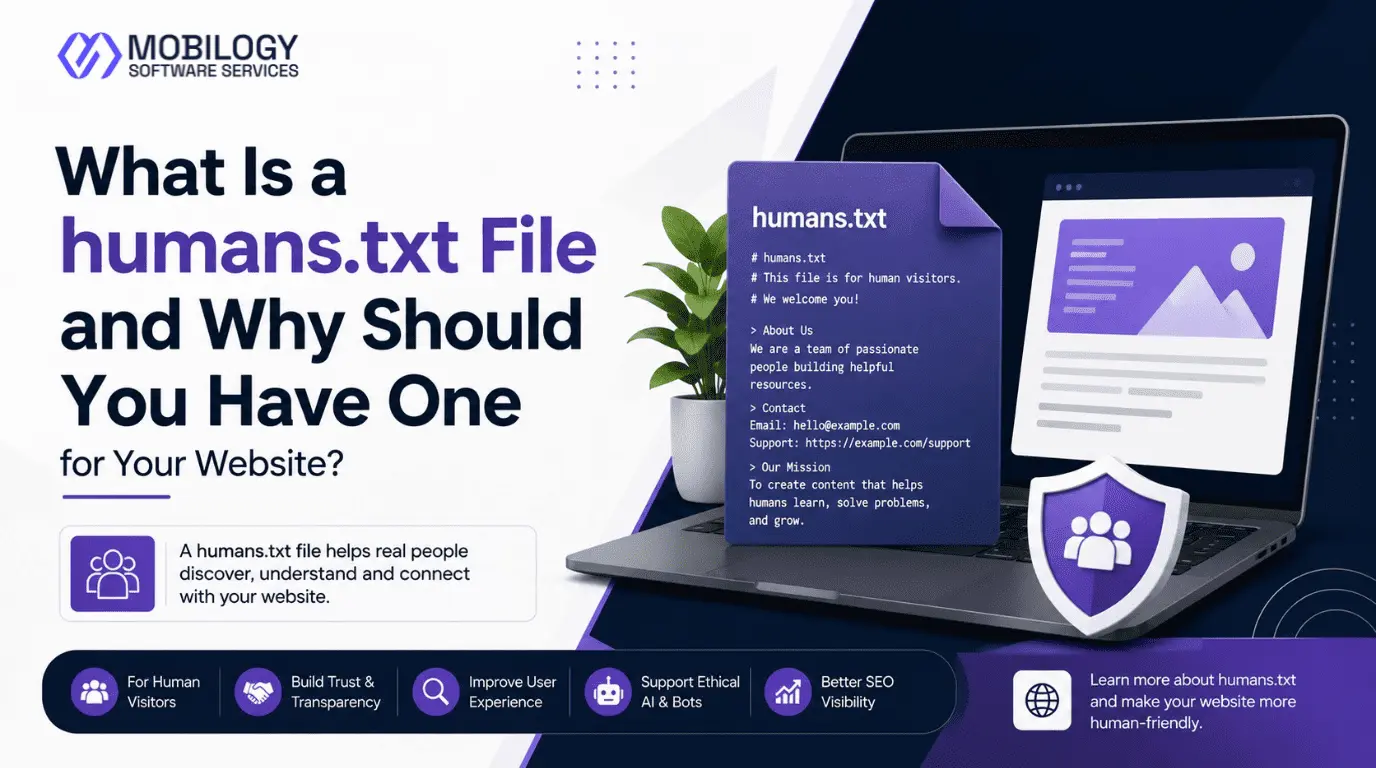
A humans.txt file is a simple text file that identifies the people and teams involved in creating, designing, developing, writing, optimizing, and maintaining a website. Unlike robots.txt, which communicates with search engine crawlers, a humans.txt file is intended to provide information about the humans behind a digital property. It is an optional website file, but it can be a useful addition for businesses, agencies, publishers, developers, and professional websites that want to document their contributors transparently.
As websites become increasingly connected with search engines, AI systems, automated crawlers, structured data, and other technologies, it is easy to focus only on machine-readable files. However, websites are ultimately created and maintained by people. A humans.txt file provides a simple way to acknowledge those people without adding unnecessary complexity to a website.
For Mobilogy Software Services LLP, an Ahmedabad-based digital technology and marketing company, a properly structured humans.txt file can document the teams responsible for website development, design, SEO, content, and digital marketing while keeping sensitive information private.
What Is a humans.txt File?
A humans.txt file is a plain-text document that contains information about the people or teams responsible for a website.
It is generally placed in the root directory of a website, making it accessible through a URL such as:
https://www.example.com/humans.txtThe concept was introduced by the humans.txt initiative as a way to identify the humans who have contributed to a website.
The file can contain information such as:
- Company or organization name
- Website development team
- Web designer
- Content team
- SEO team
- Digital marketing team
- Project manager
- Photographer
- UX/UI designer
- Website administrator
- Technology used by the website
There is no requirement to publish private employee information. A company can identify teams or professional roles instead of listing individual names.
Why Was humans.txt Created?
The web contains many files designed primarily for machines.
For example:
- robots.txt communicates crawler instructions.
- sitemap.xml helps search engines discover URLs.
- structured data provides machine-readable information about web content.
- security.txt provides information for reporting security vulnerabilities.
The idea behind humans.txt is different.
It focuses on the people responsible for creating the website.
The humans.txt initiative describes the file as a way of identifying the people behind a website. It is therefore better understood as a website transparency and attribution file rather than a technical SEO file.
This distinction is important because website owners should not expect humans.txt to perform the same function as robots.txt or sitemap.xml.
Is humans.txt an SEO Ranking Factor?
One of the most common questions is whether adding a humans.txt file can improve Google rankings.
No. There is no established evidence that humans.txt is a direct Google ranking factor.
Google does not list humans.txt as a required SEO element in its Search Essentials. Therefore, adding the file should not be presented as a technique that automatically improves:
- Google rankings
- Organic traffic
- Domain Authority
- PageRank
- Search visibility
- Core Web Vitals
- Indexing speed
Instead, its value is primarily related to website documentation, transparency, contributor identification, and professional presentation.
For an SEO strategy, humans.txt should be treated as an optional supporting element—not a replacement for essential SEO work.
Your primary SEO priorities should remain:
- Helpful and original content
- Search intent optimization
- Technical SEO
- Website accessibility
- Internal linking
- Mobile usability
- Page experience
- Structured data where appropriate
- Quality backlinks and digital authority
- Proper crawling and indexing
- Core Web Vitals
How Does humans.txt Differ From robots.txt?
The names may look similar, but the purpose of these files is completely different.
robots.txt
The robots.txt file is designed to provide crawling instructions to automated crawlers.
For example:
User-agent: *
Disallow: /private/
Sitemap: https://www.example.com/sitemap.xml
It can help website owners manage crawler access to certain areas of a website.
However, robots.txt should not be confused with a security mechanism or a guaranteed way to prevent a URL from appearing in search results.
humans.txt
A humans.txt file provides information about the humans and teams involved in creating the website.
Example:
/* TEAM */

Company: Mobilogy Software Services LLP
Website: https://www.mobilogy.in/
Location: Ahmedabad, Gujarat, India

Development: Mobilogy Development Team
Design: Mobilogy Creative Team
SEO: Mobilogy SEO Team
Content: Mobilogy Content Team
Digital Marketing: Mobilogy Digital Marketing Team
In simple terms:
robots.txt = instructions for crawlers
humans.txt = information about website contributors
Both files can exist on the same website without interfering with each other.
How to Create a humans.txt File
Creating a humans.txt file is relatively easy because it is simply a plain-text document.
You do not need a special software application or complicated coding knowledge.
Follow these steps.
Step 1: Decide What Information to Include
Before creating the file, decide which information you want to make publicly available.
You can include:
- Company name
- Website URL
- Location
- Development team
- Design team
- SEO team
- Content team
- Marketing team
- Technology
- Website language
- Public company contact information, if appropriate
Do not include confidential information.
Step 2: Open a Plain-Text Editor
You can use a simple application such as:
- Notepad
- Visual Studio Code
- Sublime Text
- Notepad++
- Any other plain-text/code editor
Do not create the file in Microsoft Word because Word may add formatting or hidden characters.
Step 3: Write Your humans.txt Content
You can create a basic structure using sections such as TEAM and SITE.
For example:
/* TEAM */

Company: Example Digital Solutions
Website: https://www.example.com/
Location: Ahmedabad, Gujarat, India

Development: Web Development Team
Design: UI/UX Design Team
SEO: SEO Team
Content: Content Team

/* SITE */

Technology: WordPress
Language: English
Standards: HTML5, CSS3
This format is simple, readable, and easy to maintain.
Step 4: Save the File as humans.txt
Save the file with the exact filename:
humans.txtMake sure your computer does not save it as:
humans.txt.txtOn Windows, you can enable File Name Extensions in File Explorer to verify the filename.
Step 5: Upload humans.txt to the Website Root
The file should normally be uploaded to the root directory of your website.
For example:
public_html/humans.txtFor a WordPress website, your hosting control panel, FTP/SFTP client, or hosting file manager can be used to upload the file.
The final public URL should be:
https://www.example.com/humans.txtStep 6: Test the File
Open the URL in your browser.
For example:
https://www.example.com/humans.txtIf the text appears correctly, the file is publicly accessible.
Also check that:
- The URL uses HTTPS.
- The file does not return a 404 error.
- The text is readable.
- No private information is exposed.
- The file is located at the website root.
humans.txt Example for Mobilogy Software Services LLP
For Mobilogy Software Services LLP, the following is an example of a clean and professional humans.txt file:
/* TEAM */

Company: Mobilogy Software Services LLP
Website: https://www.mobilogy.in/
Location: Ahmedabad, Gujarat, India

Development: Mobilogy Development Team
Design: Mobilogy Creative & UI Team
SEO: Mobilogy SEO Team
Content: Mobilogy Content Team
Digital Marketing: Mobilogy Digital Marketing Team

/* SITE */

Website: https://www.mobilogy.in/
Technology: WordPress
Language: English
Standards: HTML5, CSS3
This example identifies the company and major website-related teams without exposing unnecessary personal information.
If the website has individual contributors whose names are intentionally made public, those names can also be included.
For example:
/* TEAM */

Company: Mobilogy Software Services LLP
Website: https://www.mobilogy.in/
Location: Ahmedabad, Gujarat, India

Developer: [Public Team Member Name]
Designer: [Public Team Member Name]
SEO: [Public Team Member Name]
Content: [Public Team Member Name]

/* SITE */

Technology: WordPress
Language: English
Only use real names when the individuals and company are comfortable making that information publicly available.
How to Add humans.txt to a WordPress Website
If your website uses WordPress, there are several ways to add the file.
Method 1: Hosting File Manager
This is usually one of the simplest approaches.
- Log in to your hosting control panel.
- Open File Manager.
- Navigate to the website’s root directory, often
public_html. - Create a new file named
humans.txt. - Add your content.
- Save the file.
- Open
https://www.example.com/humans.txtin your browser.
Method 2: FTP or SFTP
You can also use an FTP/SFTP application.
Upload:
humans.txtto the website’s root directory.
After uploading, test the public URL.
Method 3: WordPress Hosting Environment
Some managed WordPress hosting environments provide file-management or deployment tools. In that situation, the file can be added directly to the site’s root directory through the hosting environment or deployment workflow.
The important point is that the file should be publicly accessible at:
https://www.example.com/humans.txtSimply creating a file inside a WordPress media folder does not provide the same result.
Should You Link humans.txt From Your Website?
The humans.txt initiative also describes the option of referencing the file from a website’s HTML using an author link.
For example:
<link type="text/plain" rel="author" href="/humans.txt">This can be placed in the <head> section of the website.
However, this is optional. The most important practical requirement is that the file is correctly created and accessible at the expected URL.
If you are comfortable editing your website’s HTML or theme files, you can add the reference. Otherwise, simply maintaining the publicly accessible file may be sufficient for your documentation purposes.
What Should You NOT Put in humans.txt?
Because humans.txt is publicly accessible, you should treat it like any other public website resource.
Never publish sensitive technical or personal information such as:
- Passwords
- API keys
- Database credentials
- FTP credentials
- Server login information
- Private employee addresses
- Personal phone numbers
- Confidential project information
- Internal security details
- Private email addresses
A humans.txt file should provide useful attribution, not expose confidential information.
Common humans.txt Mistakes
Although the file is simple, several mistakes can reduce its usefulness.
1. Treating It as an SEO Trick
Adding keywords repeatedly does not make humans.txt an SEO landing page.
For example, there is no benefit in adding dozens of variations such as:
Best SEO Company Ahmedabad, SEO Services Ahmedabad, Digital Marketing Company India, and similar keywords.
Keep the file factual.
2. Adding Too Much Information
A humans.txt file does not need to become a company biography.
Keep it concise and focused on contributors and website information.
3. Publishing Private Details
Remember that anyone can potentially access the file.
Only include information that you are comfortable publishing publicly.
4. Uploading It to the Wrong Location
Uploading humans.txt to:
https://www.example.com/uploads/humans.txtis not the same as placing it at the website root.
The preferred URL is:
https://www.example.com/humans.txt5. Forgetting to Update the File
If the website’s development, design, SEO, or content team changes, consider updating the file.
humans.txt vs sitemap.xml vs security.txt vs llms.txt
Modern websites may contain several specialized text files, but each has a different purpose.
| File | Main Purpose |
|---|---|
| humans.txt | Identifies people and teams behind a website |
| robots.txt | Provides crawler access instructions |
| sitemap.xml | Helps search engines discover website URLs |
| security.txt | Provides information for reporting security issues |
| llms.txt | An emerging proposal for providing AI-focused information about a website |
These files should not be treated as alternatives to one another.
For example, adding humans.txt does not eliminate the need for a properly configured sitemap.xml or robots.txt.
A technically sound website can use multiple files where each serves a legitimate purpose.
Does humans.txt Help Google or AI Search?
It is important to avoid exaggerated claims here.
There is currently no established evidence that simply adding humans.txt directly improves Google rankings or guarantees better visibility in AI-generated search results.
Likewise, humans.txt should not be confused with structured data such as Article schema, Organization schema, Person schema, or other structured-data implementations.
For search visibility, businesses should continue focusing on:
- Original and useful content
- Clear website structure
- Strong internal linking
- Search intent
- Technical SEO
- Mobile usability
- Fast and accessible pages
- Proper indexing
- Reliable business information
- Author and organization transparency where relevant
- High-quality digital authority
A humans.txt file can complement this broader strategy, but it is not a shortcut to better rankings.
Who Should Consider Creating a humans.txt File?
Because creating the file is easy and inexpensive, it can be a useful addition for certain types of websites.
It may be particularly suitable for:
- Digital marketing agencies
- SEO companies
- Software development companies
- Web development agencies
- Creative agencies
- News and publishing websites
- Personal portfolios
- Corporate websites
- Technology companies
- Educational websites
- Large content platforms
It may be less useful for a very small website where there is no meaningful contributor information to document.
Benefits of Having a humans.txt File
Although it is not a direct ranking factor, there are several practical reasons to consider it.
1. Website Transparency
It provides a simple way to identify the people or teams responsible for the website.
2. Contributor Recognition
Web developers, designers, writers, SEO professionals, and other contributors can receive appropriate acknowledgment.
3. Professional Documentation
It creates a lightweight record of how the website was produced.
4. Easy to Maintain
A basic text file requires minimal technical resources.
5. No Major Performance Impact
A small text file does not add significant page weight to normal website pages.
6. Supports Human-Centered Web Practices
It reinforces the idea that websites are created and maintained by real people rather than being purely automated digital assets.
A Practical humans.txt Checklist
Before publishing the file, review the following:
- File is named exactly
humans.txt - File is plain text
- File is uploaded to the website root
- Public URL works correctly
- Company name is accurate
- Website URL is correct
- Contributor information is accurate
- No passwords or credentials are included
- No unnecessary private information is included
- SEO keywords are not unnecessarily stuffed
- Information is easy to read
- File is updated when major team changes occur
A humans.txt file is a small and optional website resource, but its purpose is straightforward and useful: it identifies the humans behind a website.
It should not be promoted as a Google ranking hack or a mandatory technical SEO requirement. Instead, businesses can use it as a simple form of website attribution, transparency, and documentation.
For Mobilogy Software Services LLP, based in Ahmedabad, Gujarat, India, a professionally maintained humans.txt file can identify the teams involved in development, design, SEO, content, and digital marketing while keeping private information protected.
The most important thing is to understand the difference between website files. robots.txt is for crawler instructions, sitemap.xml supports URL discovery, security.txt helps security researchers identify reporting channels, while humans.txt identifies the people behind the website.
Creating one takes only a few minutes: prepare the information, create a plain-text file named humans.txt, upload it to the website root, test the URL, and keep it updated.
For a professional business website, it is a simple addition that can improve documentation without complicating the site’s architecture.
Ultimately, good SEO is not about adding every possible file simply because it exists. It is about using the right technical resources for the right purpose. humans.txt has a clear purpose—and when that purpose fits your website, it can be a useful part of a transparent and professionally maintained web presence.
About Mobilogy Software Services LLP
Mobilogy Software Services LLP is a digital technology and marketing company based in Ahmedabad, Gujarat, India, providing services including SEO, AI-driven SEO, digital marketing, PPC, social media marketing, website development, mobile app development, and content marketing.
Website: www.mobilogy.in