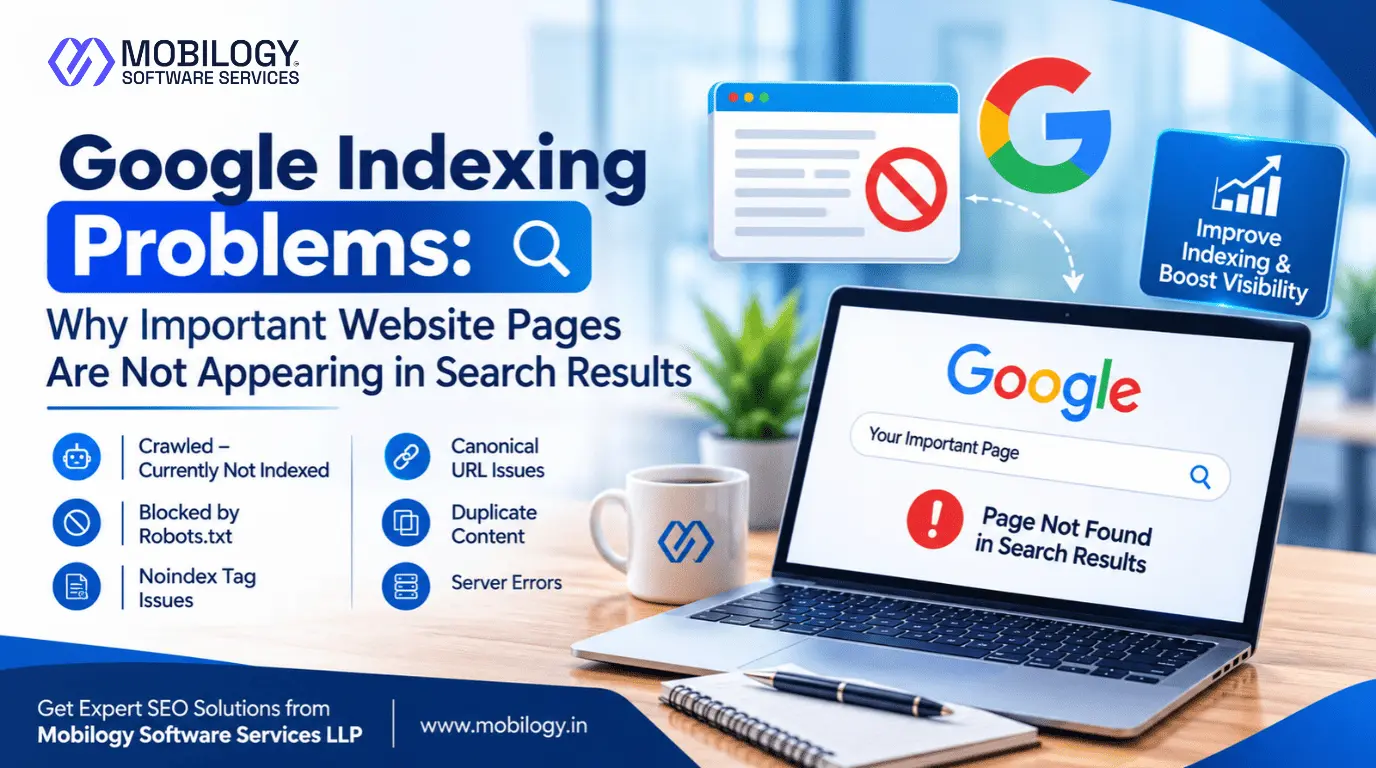
Google Indexing Problems can prevent important website pages from appearing in search results, and Mobilogy Software Services LLP, a Top SEO Company in Ahmedabad, Gujarat, helps businesses understand and address technical SEO challenges that affect their online visibility. Even when a website has professionally designed pages, valuable content, and relevant keywords, those pages may not appear on Google if search engines cannot crawl or index them correctly.
For businesses investing in SEO, this can mean missed opportunities to attract potential customers, generate inquiries, and increase organic traffic. A service page that does not appear in Google Search may struggle to reach customers actively looking for that service.
However, not every indexing issue has the same cause. Some pages may be blocked by technical settings, while others may have duplicate content, weak internal linking, server errors, or insufficient information.
Understanding why website pages are not indexed by Google is the first step towards resolving these problems. In this guide, we explain common indexing issues, Google Search Console troubleshooting methods, and practical SEO improvements that can help businesses maintain a search-friendly website.
1. Understanding Google Crawling, Indexing and Ranking
Before fixing indexing problems, it is important to understand how Google discovers and processes website content.
Google Search generally involves three important stages:
- Crawling: Googlebot discovers and accesses website URLs to understand their content.
- Indexing: Google processes the discovered information and decides whether the page should be included in its search index.
- Ranking: Google determines which indexed pages are most relevant to a user’s search query.
These stages are connected, but they are different. A page can be crawled without being indexed. Similarly, an indexed page may not rank well for its target keywords.
For example, a business may publish a new service page targeting a commercial keyword. Googlebot may successfully crawl it, but Google may decide not to index it because the page offers limited original information or duplicates another URL.
Therefore, improving rankings and resolving Google indexing issues require different approaches.
The objective should be to make important pages accessible, useful, technically correct, and eligible for indexing.
2. Common Google Indexing Problems That Keep Pages Out of Search Results
Several technical and content-related issues can prevent important URLs from appearing in Google Search.
2.1 Discovered – Currently Not Indexed
This status means Google has discovered the URL but has not crawled it yet.
Possible reasons include:
- Important pages have insufficient internal links.
- The website contains a large number of unnecessary URLs.
- Google has not prioritized crawling the page.
- Server performance is inconsistent.
- The website has recently published many new pages.
How to fix it:
- Add relevant internal links from existing pages.
- Include important canonical URLs in the XML sitemap.
- Remove unnecessary URL variations.
- Check website server availability.
- Make sure the page provides useful and original information.
Submitting an XML sitemap can help Google discover URLs, but it does not guarantee indexing.
2.2 Crawled – Currently Not Indexed
This status means Google has visited the page but has not included it in its index at that time.
Common reasons include:
- Thin or incomplete content.
- Duplicate or highly similar pages.
- Limited original information.
- Repetitive content across multiple URLs.
- Weak relevance to the user’s search intent.
How to fix it:
- Expand the page with useful and relevant information.
- Add practical examples and detailed explanations.
- Remove unnecessary repetitive paragraphs.
- Improve the page’s structure and headings.
- Review whether similar pages should be consolidated.
Simply changing a few sentences or adding more keywords may not solve this issue. Focus on making the page genuinely useful.
2.3 Pages Blocked by Robots.txt
The robots.txt file provides instructions to search engine crawlers about which website paths they can access.
An incorrect rule can accidentally prevent Googlebot from crawling important service pages, product pages, or blog articles.
How to fix it:
- Review your website’s robots.txt file.
- Identify rules blocking important URLs.
- Remove incorrect restrictions where appropriate.
- Test the updated robots.txt configuration.
- Check the affected URLs again in Google Search Console.
Remember that robots.txt controls crawling. It is not a reliable method for removing an already indexed page from Google.
2.4 Incorrect Noindex Tag
A noindex directive tells search engines not to include a page in search results.
This setting is useful for pages that should not appear in organic search. However, accidental implementation can prevent important pages from being indexed.
Common causes include:
- Incorrect SEO plugin settings.
- Development website settings copied to the live website.
- Page-level indexing settings configured incorrectly.
- Noindex directives in HTTP response headers.
How to fix it:
- Inspect the page source.
- Check the indexing settings in your SEO plugin or CMS.
- Review HTTP response headers.
- Remove the directive if the page should be indexed.
- Test the URL using Google Search Console.
2.5 Duplicate Content and Canonical URL Issues
Sometimes, the same or very similar content can be accessed through multiple URLs.
Examples include:
- HTTP and HTTPS versions.
- URLs with and without trailing slashes.
- Tracking parameter variations.
- Filtered product URLs.
- Similar service pages targeting identical search intent.
Google may select one URL as the canonical version and exclude other versions.
How to fix it:
- Identify the preferred URL for each important page.
- Implement appropriate canonical tags.
- Use consistent internal linking.
- Include canonical URLs in the XML sitemap.
- Apply redirects when duplicate URL versions should permanently lead to one destination.
Canonical tags are signals rather than absolute commands, so consistent URL management is important.
2.6 Server Errors, Redirects and Soft 404 Pages
Googlebot needs to access website pages successfully.
Some technical problems that can interrupt crawling include:
- 5xx server errors: The server cannot complete the request.
- 404 errors: The requested page cannot be found.
- Redirect loops: The browser or crawler cannot reach a final destination.
- Soft 404 errors: A page displays a not-found message but returns a successful response code.
- Access restrictions: Important pages require authentication or block public access.
Check the page’s HTTP response and redirect destination before requesting indexing again.
3. Google Search Console Indexing Status: What Does It Mean?
Google Search Console is one of the most useful tools for identifying website pages not indexed by Google.
Its Page indexing report groups URLs according to their indexing status and provides examples of affected pages.
The following table explains common statuses and the recommended first action.
| Search Console status | Meaning | Recommended action |
|---|---|---|
| Discovered – Currently Not Indexed | Google knows the URL but has not crawled it | Improve internal linking and check server availability |
| Crawled – Currently Not Indexed | Google crawled the page but did not index it | Improve content quality and review duplication |
| Excluded by noindex | A noindex instruction prevents indexing | Remove it if indexing is intended |
| Blocked by robots.txt | Crawling is restricted | Review robots.txt rules |
| Duplicate without user-selected canonical | Google identified another preferred URL | Review canonical settings |
| Alternate page with proper canonical | Google recognizes another canonical version | Usually no action is required |
| Server error (5xx) | The server failed to respond successfully | Investigate hosting and server availability |
| Not found (404) | The requested page does not exist | Restore, redirect or retain a genuine 404 |
Not every excluded URL requires correction. Focus on important pages that should genuinely appear in Google Search.
4. How to Diagnose Google Indexing Issues Using the URL Inspection Tool
The Google Search Console URL Inspection Tool helps website owners understand how Google sees an individual URL.
Follow these steps:
- Open Google Search Console.
- Select the correct website property.
- Enter the complete URL you want to investigate.
- Check whether the URL is currently on Google.
- Review the page indexing status.
- Check the last crawl information.
- Review crawling and indexing permissions.
- Examine the Google-selected canonical URL.
- Select Test Live URL to check the current page.
- Correct any identified technical or content-related issue.
- Run another live test after making the changes.
- Select Request Indexing when the page is ready for another indexing attempt.
The live test checks the current page, while the indexed report reflects Google’s existing information. A successful live test does not guarantee that Google will index the page.
5. Best SEO Practices to Improve Website Indexing
Resolving individual errors is important, but maintaining a technically healthy website can help prevent recurring indexing problems.
Create and Maintain an XML Sitemap
Your XML sitemap should contain important, canonical and indexable URLs.
Follow these practices:
- Remove redirected and broken URLs.
- Exclude pages that should not be indexed.
- Keep sitemap information updated.
- Use accurate modification dates where applicable.
- Submit the sitemap through Google Search Console.
Improve Internal Linking
Internal links help search engines discover important website pages.
For better internal linking:
- Link important service pages from relevant sections.
- Connect related blog articles naturally.
- Avoid leaving valuable pages isolated.
- Use descriptive anchor text.
- Maintain a logical website navigation structure.
Improve Content Quality
Content quality is an important consideration when reviewing pages that Google has crawled but not indexed.
Focus on:
- Original and useful information.
- Clear headings and explanations.
- Relevant examples and supporting details.
- Accurate service descriptions.
- Helpful answers to customer questions.
- Removal of unnecessary repetition.
Maintain Technical Website Health
A technically accessible website makes it easier for search engines to crawl important pages.
Regularly review:
- HTTP response codes.
- Redirect chains and loops.
- Canonical URL implementation.
- Mobile accessibility.
- Server availability.
- Robots.txt and noindex settings.
- Broken internal links.
These activities form an important part of a professional Technical SEO Audit.
6. Why Publishing More Blog Posts Does Not Always Solve Indexing Problems
Some businesses respond to indexing problems by publishing more articles. However, increasing the number of website URLs does not automatically improve search visibility.
If a website already contains multiple similar pages, publishing additional articles without a clear content strategy can create duplication and make website management more difficult.
Before publishing a new page, consider:
- Does the topic answer a genuine customer question?
- Does it provide information that existing pages do not?
- Is there a clear reason for this page to exist separately?
- Can visitors discover it through relevant internal links?
- Is it technically accessible and eligible for indexing?
- Does it support the website’s business objectives?
For example, a business offering SEO services does not need multiple articles explaining the same basic SEO concepts. It can create separate resources addressing specific technical challenges, website requirements, and business-related SEO questions.
The goal is to create useful pages rather than simply increase the total number of URLs.
7. Common Google Indexing Mistakes Website Owners Should Avoid
Even small website configuration mistakes can affect important pages.
Avoid the following:
- Submitting the same unchanged URL repeatedly.
- Expecting Google to index new pages immediately.
- Accidentally blocking important pages through robots.txt.
- Using noindex on pages intended for organic search.
- Adding redirected URLs to the XML sitemap.
- Creating multiple pages with nearly identical content.
- Ignoring server errors and broken links.
- Assuming an indexed page will automatically rank well.
- Making technical changes without checking their impact on important URLs.
A consistent monitoring process helps identify problems before they affect a large number of important pages.
8. How Professional SEO Services Can Help Resolve Indexing Problems
Website indexing depends on several connected factors, including technical accessibility, URL structure, content quality and internal linking.
Businesses that need support with these areas can benefit from professional SEO services.
Mobilogy Software Services LLP, a Top Digital Marketing Company in Ahmedabad India, provides SEO and digital marketing solutions to help businesses improve their online presence.
Our SEO support can include:
- Website SEO audits to identify technical indexing concerns.
- Google Search Console analysis and page indexing reviews.
- XML sitemap and robots.txt configuration checks.
- Canonical URL and redirect troubleshooting.
- Website architecture and internal linking improvements.
- Content quality and on-page SEO recommendations.
- Technical SEO support for website development and optimization.
Businesses looking for Affordable SEO Services for your Business can benefit from a structured SEO approach that focuses on website health, search visibility and long-term growth.
Companies that need dedicated attention to ongoing SEO activities can also Hire Dedicated SEO Expert in Ahmedabad to support keyword research, technical optimization, content improvements and performance monitoring.
For businesses targeting customers within specific geographical areas, Best Local SEO Services can also support better local search visibility through relevant website optimization and business information management.
Whether you operate a business website, e-commerce store, professional service platform or growing company, improving website indexing is an important step towards strengthening organic search performance.
Visit www.mobilogy.in to learn more about Mobilogy’s SEO and website development services.
9. Frequently Asked Questions About Google Indexing Problems
1. Why is my website not showing on Google after publishing new pages?
Google may not have discovered or crawled the pages yet. Other possible reasons include indexing restrictions, server errors, duplicate content or insufficient information. Use Google Search Console’s URL Inspection Tool to investigate the specific status.
2. How long does Google take to index a new webpage?
There is no guaranteed indexing timeline. It can take several days or longer, depending on the website and page. Requesting indexing may help communicate that a page is ready for crawling, but it does not guarantee inclusion.
3. What does Crawled – Currently Not Indexed mean?
It means Google visited the URL but did not include it in the index at that time. Review the page’s originality, usefulness, duplication and overall quality before requesting another crawl.
4. Does submitting an XML sitemap guarantee Google indexing?
No. A sitemap helps Google discover important URLs, but it does not guarantee crawling, indexing or rankings. Make sure submitted URLs are canonical, accessible and intended for search visibility.
5. Can a noindex tag affect Google rankings?
Yes. If a page has a valid noindex directive, Google is instructed not to include it in search results. If the page is important for organic traffic, review and correct the directive.
6. Why does Google index one page but ignore another page on the same website?
Google evaluates pages individually. Differences in content usefulness, duplication, internal links, technical accessibility and canonical signals can influence whether individual pages are indexed.
7. Does requesting indexing through Google Search Console work immediately?
No. The request places the URL into an indexing queue for consideration. Google still determines when and whether to crawl and index the page.
8. Should I hire an SEO expert to fix Google indexing problems?
An experienced SEO professional can investigate technical issues, review Google Search Console reports, identify content-related problems and recommend suitable improvements. Businesses can Hire Dedicated SEO Expert in Ahmedabad when they need ongoing support with website indexing and technical SEO.
Conclusion
Google Indexing Problems can prevent important website pages from reaching potential customers through organic search. However, not every non-indexed URL represents a technical error. Some pages may be duplicates, intentionally excluded or simply not selected for Google’s index.
The most effective approach is to identify the reason behind each issue, prioritize important URLs, correct technical barriers and improve content where necessary.
By regularly monitoring Google Search Console, URL Inspection reports, canonical signals, XML sitemaps and website accessibility, businesses can maintain better control over their website’s indexing health.
For businesses looking to improve technical SEO, website indexing and organic search visibility, Mobilogy Software Services LLP provides SEO and digital marketing support in Ahmedabad, Gujarat, India.
Website: https://www.mobilogy.in